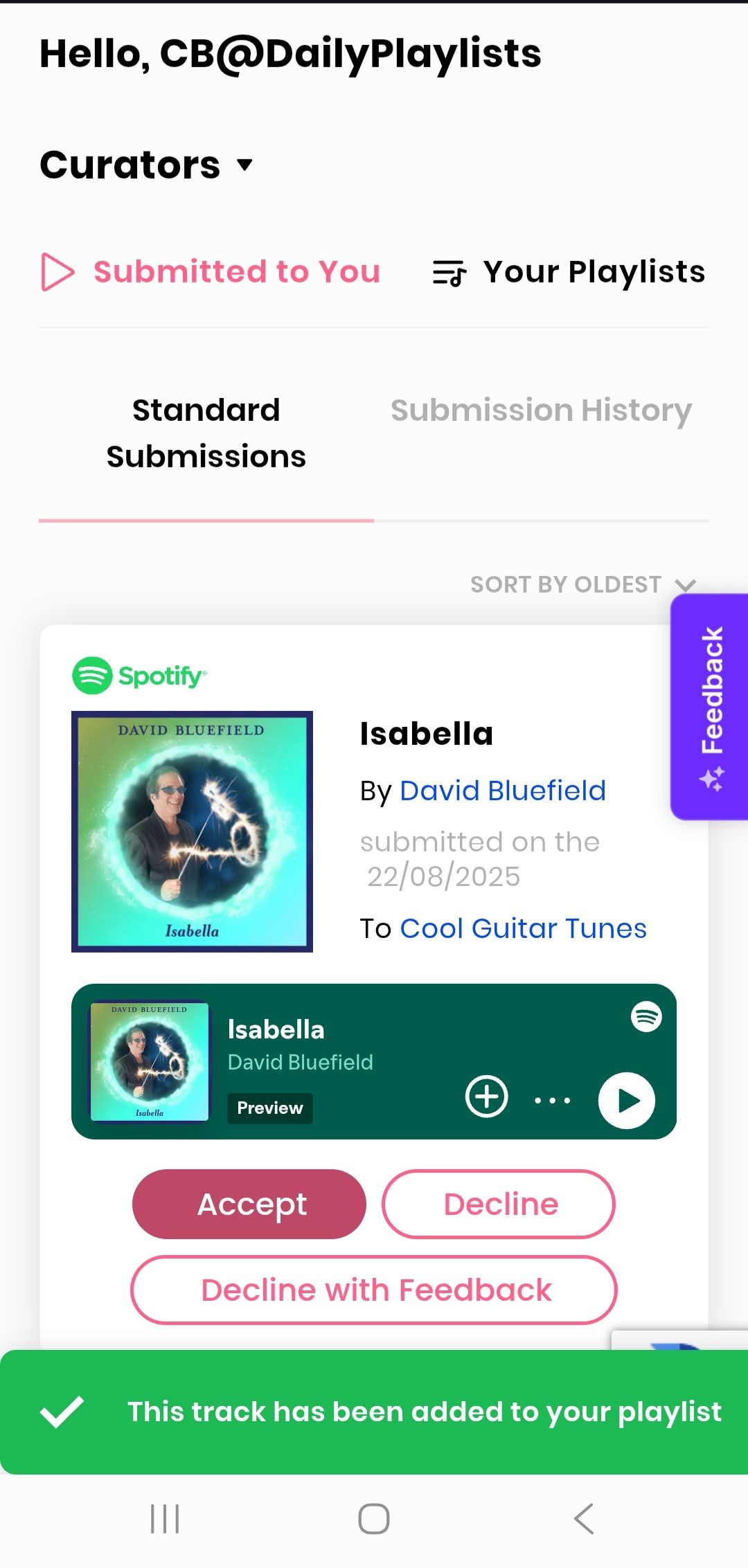
System does NOT 'Accept' or 'Decline' songs in the 'Submitted to you' section.
When trying to either 'Accept' or 'Decline' songs in the 'Submitted to you' tab of the Curators section, your system does NOT actually save whatever action I choose, despite the song INITIALLY disappearing while the green flag /message does appear & state that the song has been added to my playlist. HOWEVER… As soon as the screen is refreshed (or the next time I return to that same 'Submitted to you' tab), those exact same songs still continue to re-appear as if they've never been resolved by whatever action I had previously /already taken (Accepted or Declined).
Log in to comment and vote
Comments3
DP Team
Aug 25, 2025
Hi CB@dailyplaylists,
Can you please share your Spotify user link and email associated with the account to review the case? In the meantime can you try hard refreshing please?
To do a hard refresh, you can usually press Ctrl+Shift+R (on Windows/Linux) or Cmd+Shift+R (on Mac). Here's also a resource to help you: https://fabricdigital.co.nz/blog/how-to-hard-refresh-your-browser-and-clear-cache
Please let me know if the issue is solved. If not, I'll be happy to look into this further for you.
All the best,
DP Team
CB@DailyPlaylists
Aug 27, 2025
The issue seems to have been resolved, & all seems to be working OK now.
Thank you & regards.
‘CB’
DP Team
Aug 28, 2025
Glad that is working now! We will remove you from the current ticket.
All the best,
DP Team